


Tricon Homes
4.6264.00 Reviews
App Specs
- Version
- 2.3.15.1786053077
- Updated On
- License
- Free
- Downloads
- 10,000+
- Developer
- Tricon Residential
- Categories
- House & Home
- Platform
- Android
Screenshots
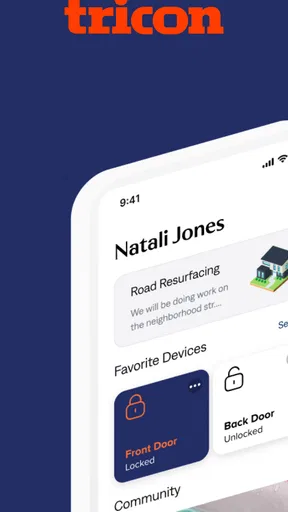
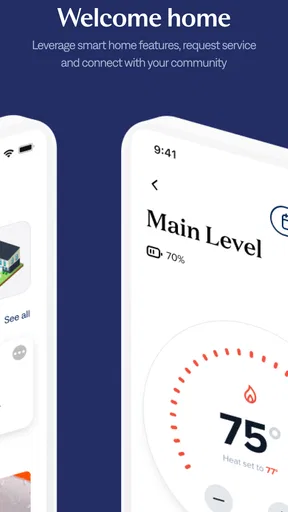
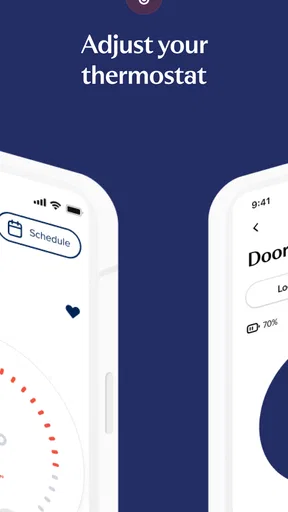
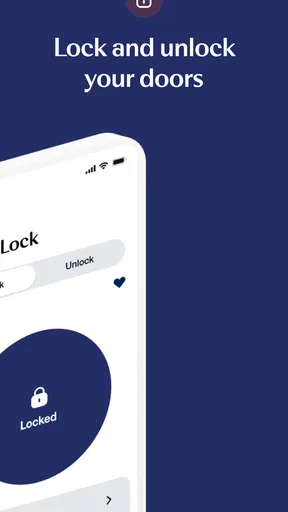
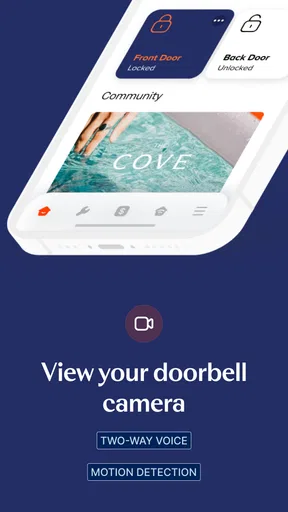
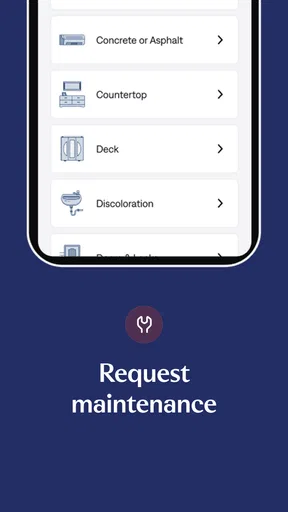
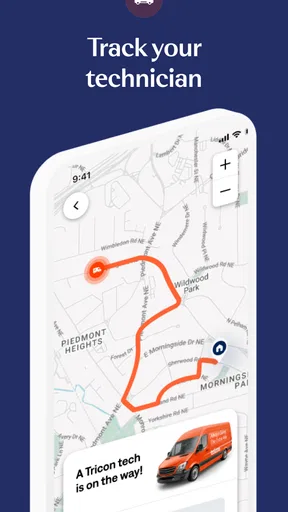
 Analysis by AppCompare
Living in a Tricon Residential home can involve two separate chores that are easy to underestimate: keeping track of a maintenance request and controlling the smart devices installed in the property. Tricon Homes is designed to bring those jobs into one place. I found its main appeal less in flashy extras and more in the way it connects day-to-day home management with the resident relationship behind it.
This is a free House & Home app from Tricon Residential, aimed at people who already live in a Tricon property and need a practical way to interact with their home. It is available to a general audience, carries an Everyone age rating, and has built a solid reputation with a 4.6 average from around 2.7 thousand ratings. That combination suggests a useful level of adoption, although the experience still depends heavily on the home, the devices installed there, and the quality of the maintenance process behind the screen.
From a home problem to a completed task
I start this section with the practical question that matters most: how does a resident move from noticing a problem to making a useful request? I’ll focus on the small decisions that can make the handoff clearer, such as separating what a device does from what I suspect is wrong. That leads naturally to the next part: how to keep the request useful after it has been submitted.
Starting with the resident’s immediate need
The most convincing way to understand Tricon Homes is to imagine a normal weekday evening. A light or connected device is not behaving as expected, while a separate issue—perhaps a dripping faucet, a faulty appliance, or a heating concern—needs attention. In the usual rental workflow, I might switch between a smart-home application, email, a resident portal, and phone calls. This app is meant to reduce that scatter by giving me one resident-focused starting point.
That matters because the app is not simply a generic smart-home remote. Its identity comes from the combination of smart home control and work-order management. The first function is immediate: I want to adjust or check an available device. The second is procedural: I want to report a problem, follow its progress, and understand what happens next. Keeping both activities close together makes sense for a rental home, where the device and the maintenance responsibility may be connected to the property rather than personally owned by me.
Before relying on it, I would make sure I am using the resident account associated with the correct Tricon home. That sounds obvious, but it is an important practical step when someone has recently moved, changed homes, or shares household responsibilities. A smart-home control screen is only useful when it reflects the right property, and a work order needs to reach the right rental record.
Checking the home before opening a work order
My preferred workflow is to check the simple possibilities first. If a connected device appears unresponsive, I would use the app to see whether the control itself reacts. If it does, the issue may be limited to the device or its connection. If the control does not behave normally, I would avoid repeatedly tapping the same command and move toward documenting the problem for maintenance.
Worth Reading Before You Choose

EA SPORTS FC Mobile 26 Is a Bigger Football Game, but It Takes Time

Flipboard Shows What News Apps Must Do Beyond the Feed

Switching to Android Auto Means Rethinking Your Driving Routine

Google Calendar Makes a Crowded Week Easier to Manage

Ludo King Makes the Most of the Minutes Between Plans

Baby Panda World Brings Quick Play to Modern Phones, but Its Game Library Feels Busy
This creates a useful distinction between a quick resident action and a formal service request. A smart-home control can help me test whether the problem is local and immediate. A work order is better when the issue involves plumbing, heating, electrical equipment, an appliance, or anything that should be handled by the property’s maintenance process. The app is most valuable when I use those two paths deliberately instead of treating every problem as a button failure.
One non-obvious advantage is that this first check can improve the quality of a later request. Rather than writing only “the device does not work,” I can first establish whether the problem affects a single control, a broader home function, or a physical fixture. That gives the maintenance handoff a clearer starting point, even if the app itself does not solve the issue.
Submitting the maintenance request
When a repair is needed, the work-order side becomes the center of the experience. I would describe the fault in plain language, identify where it is happening, and include the details that could save a technician a second visit. For example, “the kitchen faucet leaks only when the handle is turned toward hot” is more useful than “sink problem.” If the issue is intermittent, I would say when it appears instead of presenting it as constant.
This is where a resident app can be more convenient than a general email inbox. A request placed in the property-management workflow is easier to associate with the home than a message sent from an unrelated account. It also gives me a single place to revisit the issue rather than searching through old messages. I would still keep the wording focused: one work order should explain one main problem unless several symptoms clearly belong together.
For urgent situations, I would not assume that a normal in-app request is automatically the right route. A serious leak, loss of essential heating or cooling, electrical danger, or another immediate hazard deserves the emergency instructions supplied for the property. The app is a useful management tool, but a screen should not become a reason to delay a situation that needs prompt human attention.
Following the request after submission
The real test begins after the request leaves my hands. A good workflow should help me understand whether the issue is still waiting, being handled, or needs something from me. I would check the work-order area rather than sending duplicate requests whenever I had not heard back immediately. Duplicate submissions can make the history harder to follow and may split one problem into several records.
There is also a practical handoff here. The resident provides the description, the property team receives it, and a technician eventually works from that information. The app can organize the first part of that chain, but it cannot guarantee that the description is complete or that every repair will be resolved in one visit. My advice is to treat the request history as a record: note any change in symptoms, add relevant context through the available process, and avoid rewriting the entire story each time.
If access to the home is required, the resident still has a responsibility to pay attention to the arrangements communicated through the property’s process. The app can help centralize the request, but it does not remove the need for practical cooperation, such as being available when necessary or preparing the affected area for inspection. That is an important trade-off: convenience improves when information is centralized, but the physical repair still depends on people and timing outside the app.
Returning to smart-home control after the repair
Once the physical problem is addressed, I would use the smart-home portion again as a quick confirmation tool where appropriate. If the original complaint involved a connected device, checking its behavior after the work is complete can help me notice whether the outcome is actually satisfactory. This is more useful than simply assuming that a closed request means every related symptom has disappeared.
The same approach applies before contacting maintenance. If a smart device responds normally but a physical fixture does not, I can describe that difference. If an installed device remains unreachable while the rest of the home appears fine, I can report the narrower problem. These small observations create a better handoff because they separate a control issue from a property issue.
Where the handoffs still create friction
The app’s promise is strongest at the boundary between resident action and property management, but that boundary is also where limitations become visible. Tricon Homes can present the request and device-control experience in one resident environment; it cannot make a contractor’s schedule predictable, turn an unclear description into a diagnosis, or guarantee that a device responds instantly.
There is also a learning curve for households with different levels of technical confidence. Someone comfortable with connected-home equipment may appreciate having control and maintenance close together. Another resident may not know whether a problem belongs under smart-home control, a work order, or an emergency route. The app would be easier to use when the distinction is obvious, but in real life I would still expect to make that judgment myself.
Device availability is another meaningful limitation. The store summary describes control of smart-home devices, but the practical value of that control depends on what is installed and supported in the particular Tricon home. I would not choose this app expecting it to replace a universal smart-home platform for every brand or accessory I own. It is better understood as a property-linked tool, not a complete command center for a mixed collection of personal devices.
How it compares with the usual alternatives
Compared with a traditional phone call, Tricon Homes offers a more organized starting point for routine work orders. A call can be faster when the issue is urgent or complicated, especially if I need immediate clarification. For ordinary maintenance, however, an in-app record is easier to revisit than trying to remember whom I spoke with and when.
Compared with email, the app has a clearer connection to the resident relationship and the home. Email remains useful when I need to send a detailed explanation or communicate outside the app’s normal flow, but it can scatter the conversation across inboxes. Tricon Homes is more focused, which is exactly what I want when the subject is a repair tied to a specific property.
Compared with a standalone smart-home application, its advantage is context. A dedicated device app may offer deeper controls for a particular brand, while Tricon Homes is more useful when I want the smart-home function alongside resident services. If advanced automation, broad compatibility, or detailed device history is my priority, a dedicated platform may be the better complement. If I want property-related control and maintenance in one resident-facing place, Tricon’s approach is more convenient.
Who will get the most from it
I would recommend Tricon Homes to current Tricon Residential residents who want a single routine for checking connected devices and managing maintenance. It is especially practical for people who do not want to keep a separate note of work-order conversations, or for households where more than one person needs to understand what has been reported and what still needs attention.
It can also help a resident who is new to smart-home equipment. Instead of treating the installed devices and the rental service process as unrelated, the app encourages a property-based workflow: check what can be controlled, identify what remains wrong, and send the physical issue through the appropriate channel. That is a modest benefit, but it can prevent unnecessary troubleshooting.
I would be more cautious about recommending it to someone who does not live in a Tricon Residential home, expects a universal smart-home dashboard, or mainly wants sophisticated automation. The app’s value is tied to the Tricon resident experience. It is not the right substitute for a broad consumer smart-home ecosystem or for direct emergency assistance.
Practical habits that improve the experience
My first tip is to use the app as a chronological record. Before submitting a request, note what changed and when. After submitting it, return to the existing request rather than opening another one for the same symptom. This keeps the handoff cleaner and makes it easier to explain whether the condition improved, worsened, or stayed the same.
My second tip is to separate symptoms from guesses. I would report what I can observe—an appliance stops during a cycle, a light fails to respond, a faucet leaks under a particular condition—without insisting on a technical diagnosis. That gives the receiving team useful evidence while avoiding a misleading assumption that could send the repair in the wrong direction.
My third tip is to use smart-home controls as a test, not just a convenience. If the app can operate an installed device, that tells me something about the immediate state of the device-control path. If it cannot, I can include that observation in the maintenance description. This small step turns the app into part of the troubleshooting process rather than merely a button panel.
My fourth tip is to keep routine and urgent situations separate. A normal work order is appropriate for a repair that can follow the property’s regular process. A hazard or serious loss of an essential service should follow the emergency guidance associated with the home. No resident app should be treated as a universal replacement for urgent help.
What the current release tells me
Tricon Homes was released on October 13, 2022, and the current version is 2.3.15.1786053077. It requires Android 8.0 or later, so anyone using an older Android phone should check compatibility before planning around it. The app is free to install, which removes a financial barrier for residents who need access to its property functions.
Its reach is still relatively focused, with more than ten thousand installs, but that is unsurprising for an app tied to a particular residential community rather than a mass-market utility. The developer is Tricon Residential, and the app has 264 written reviews alongside its broader rating activity. I read those figures as evidence that residents are actively using and evaluating it, not as a promise that every home will produce the same experience.
My final view after following the full workflow
Tricon Homes works best when I judge it by the complete path from problem to outcome. I can begin with a device check, decide whether the issue belongs in a work order, provide a clearer description, and return to the resident record instead of rebuilding the conversation elsewhere. That is a sensible workflow for a rental home, and it is more useful than a generic app that only exposes device controls.
Its limits are equally clear. The app does not remove the human handoffs involved in diagnosis, scheduling, access, and repair. It also should not be mistaken for a universal smart-home platform or an emergency service. Still, for the intended Tricon Residential resident, I think the combination is worthwhile. I would recommend it as a practical home-management companion, especially when keeping maintenance and connected-home tasks together matters more than advanced automation.
In my experience, the best results come from using it with realistic expectations: describe observable symptoms, keep one request per problem, use the device controls to gather clues, and choose the proper urgent route when safety or essential services are involved. Used that way, Tricon Homes earns its place as a focused resident tool rather than trying to be something broader than it is.
Pros
- Clear listings make it easier to compare available homes.
- Useful property details help users narrow down suitable options.
- Convenient access to housing information from a mobile device.
- Can save time compared with visiting multiple property websites.
- Helpful for users researching homes in the Tricon rental portfolio.
Cons
- Coverage may be limited to homes managed or listed by Tricon.
- Some properties or availability details may change quickly.
- Search and filtering options may feel limited for advanced users.
- Users may need to contact leasing staff for additional property details.
- App usefulness depends on local Tricon Homes availability.
FAQs for Tricon Homes
What is Tricon Homes, and what can I use the app for?
Tricon Homes is a mobile app designed for residents and prospective residents of Tricon Residential communities. After installing it, users can typically access housing-related information, communicate with the property management team, review community updates, and manage selected resident services from a phone. The exact tools available may depend on the community, lease status, location, and the services enabled for your account.
Do I need to be a Tricon resident to use Tricon Homes?
Many of the app’s resident features require an active Tricon account or a connection to a Tricon-managed property. Prospective renters may be able to use certain public or application-related features, but access can vary. During setup, you may need to provide account details, an email address, phone number, or property information. If your home or account is not recognized, contacting Tricon support is usually the best next step.
What features are available in Tricon Homes?
The available features may include viewing property or lease information, submitting and tracking maintenance requests, receiving announcements, contacting management, and accessing community resources. Some versions or properties may also provide payment-related tools, document access, or service scheduling. Because Tricon can customize the experience by community, not every user will see the same menus or functions after signing in.
Is Tricon Homes free to download and use?
The Tricon Homes app is generally available to download without an upfront app purchase, but using the app does not eliminate any rent, utility, service, application, or other charges associated with your Tricon account. Standard mobile data charges may apply if you use cellular data. Always review the payment details shown in the app and your lease or account terms before confirming a transaction.
What should I do if Tricon Homes is not working or I cannot sign in?
First, check that your device has a reliable internet connection and that you are using the latest version of the app. Confirm that your login information is entered correctly, then try closing and reopening the app or resetting your password if that option is available. If the problem continues, take note of any error message and contact Tricon Residential support or your property management team for account-specific assistance.


